Mcaster1AMP
AI-powered desktop media player for internet radio. Dual-deck playback, 2 AI backends, full DSP chain, broadcast tools, YouTube Music integration, themes, and one-click streaming from the CasterClub YP Directory.
See It In Action
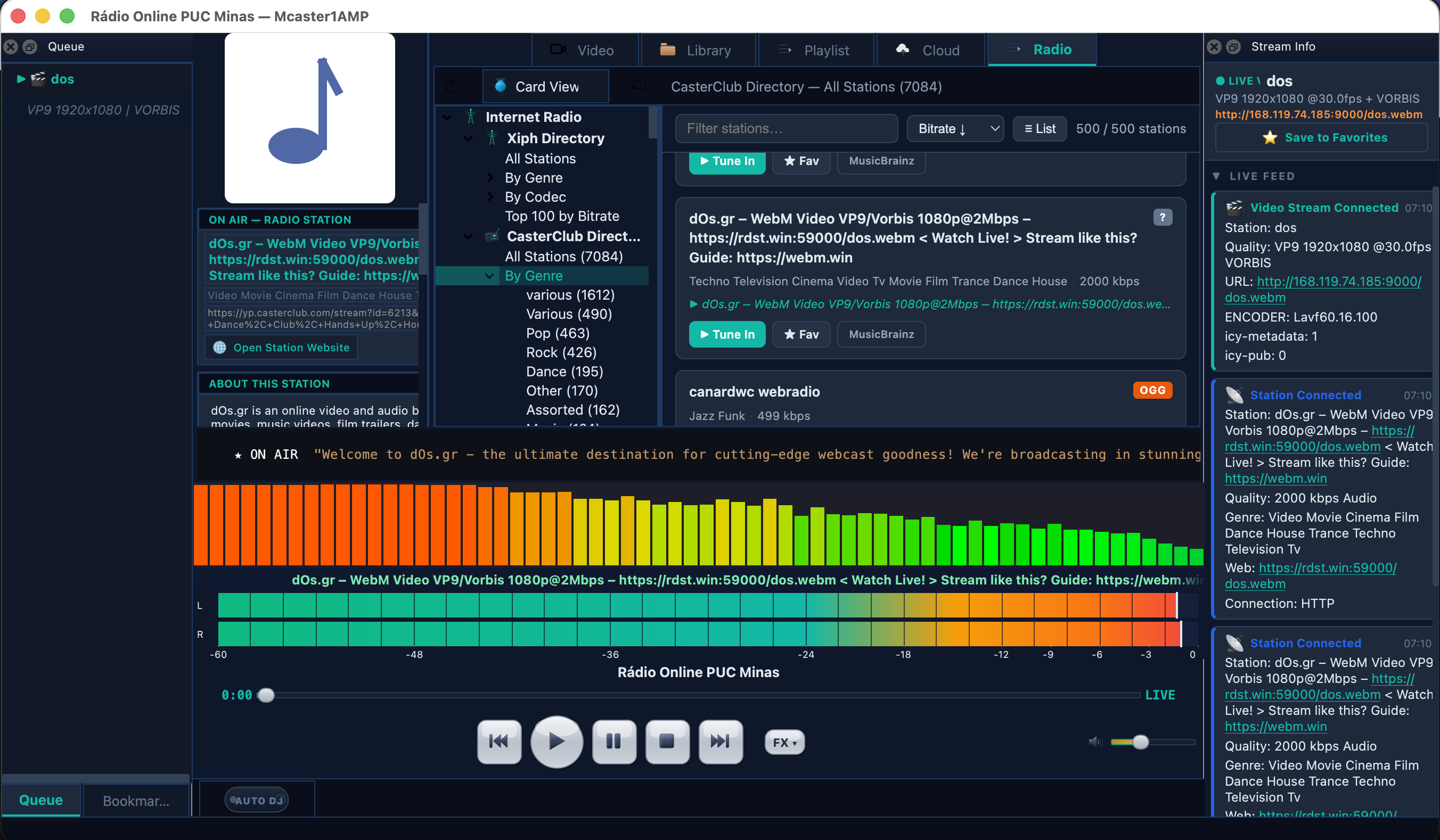
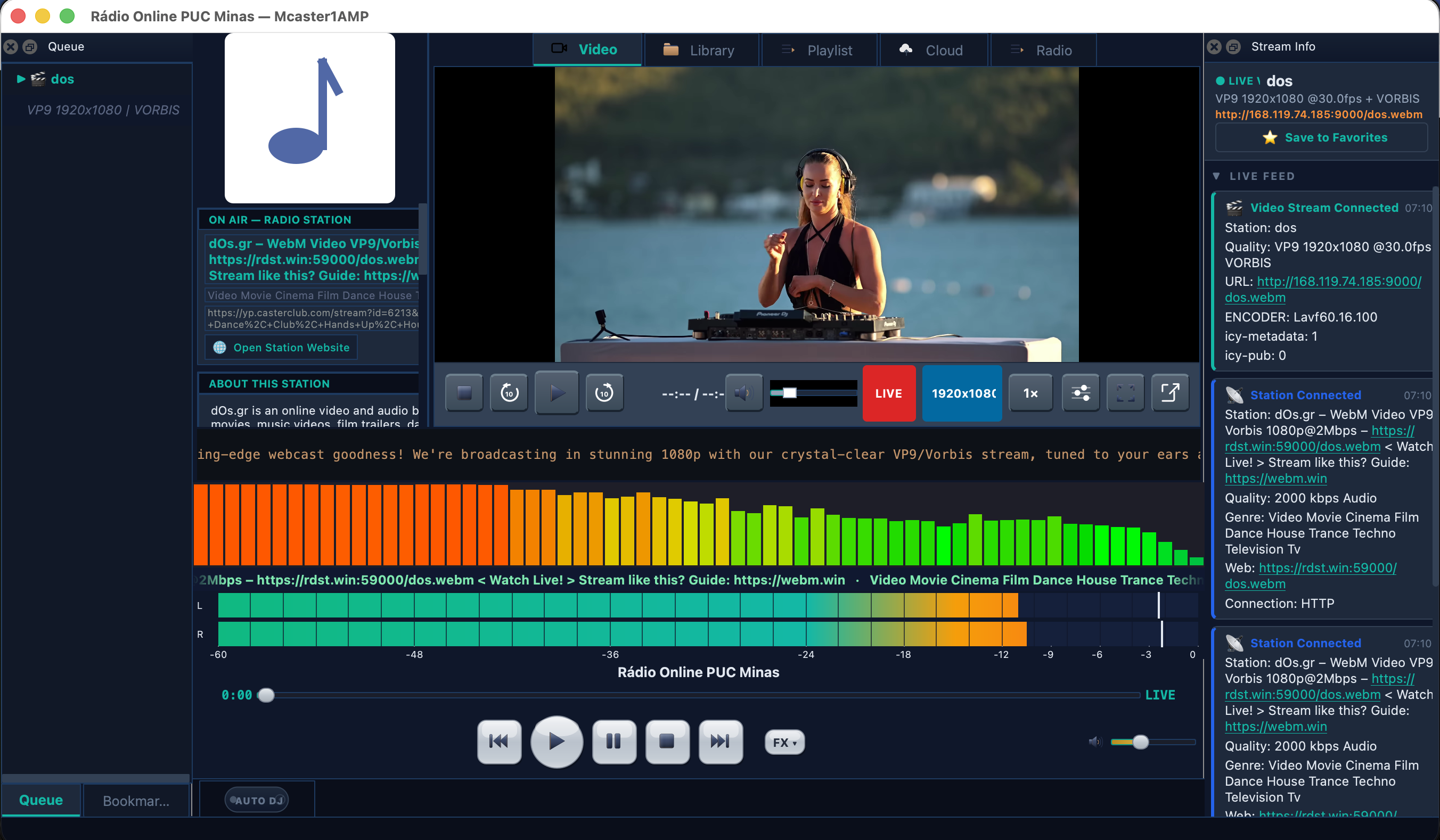
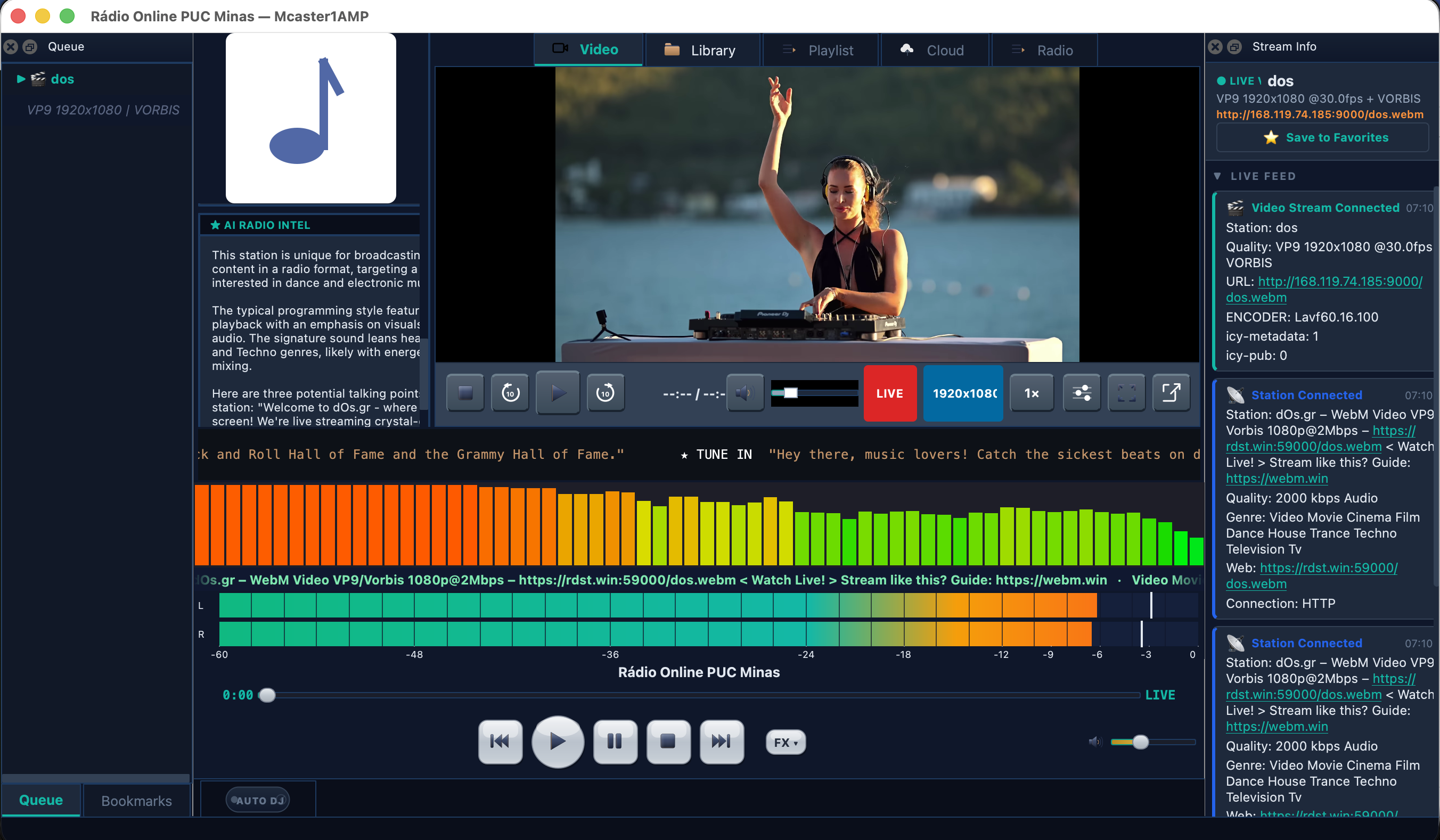
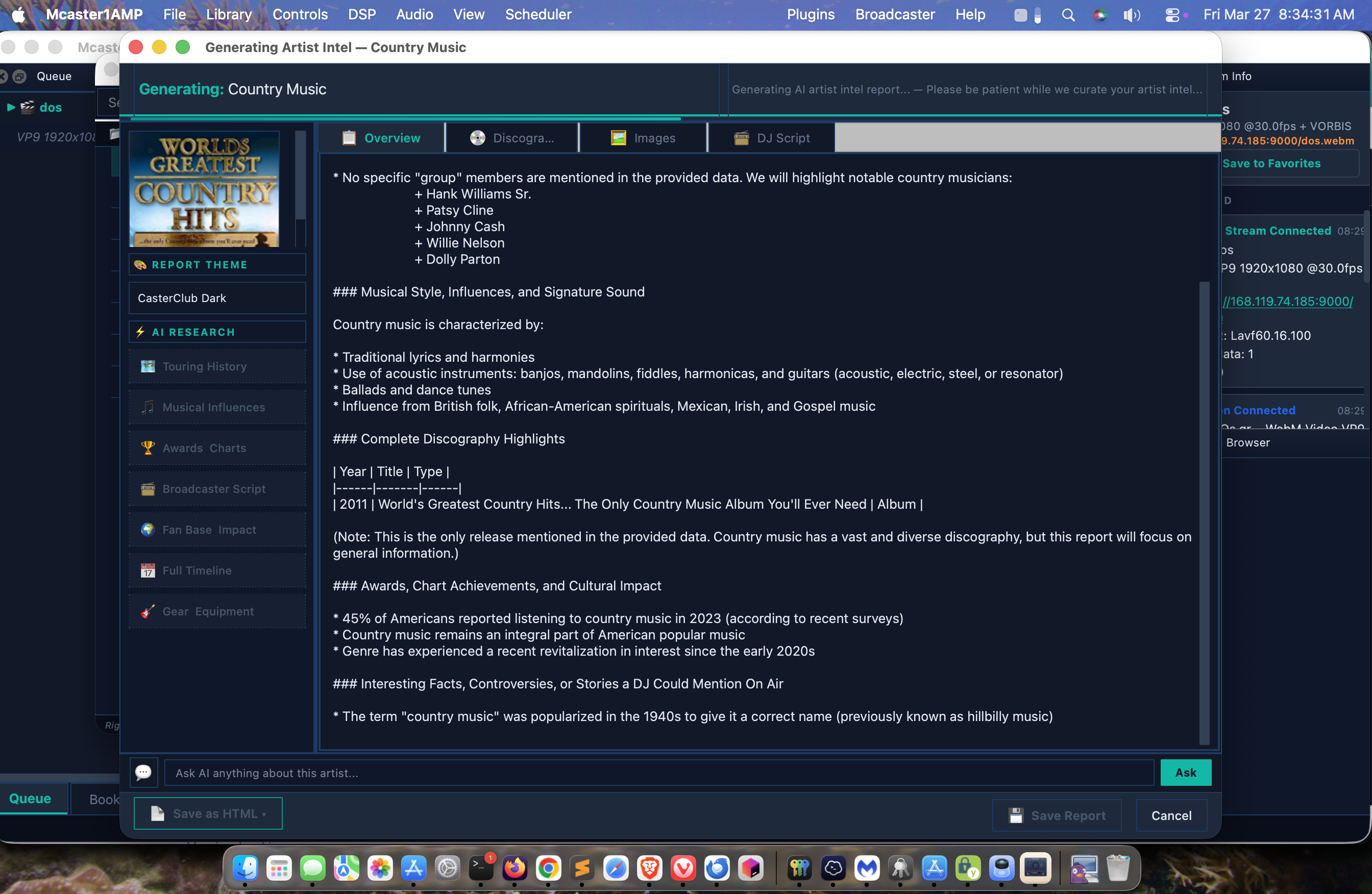
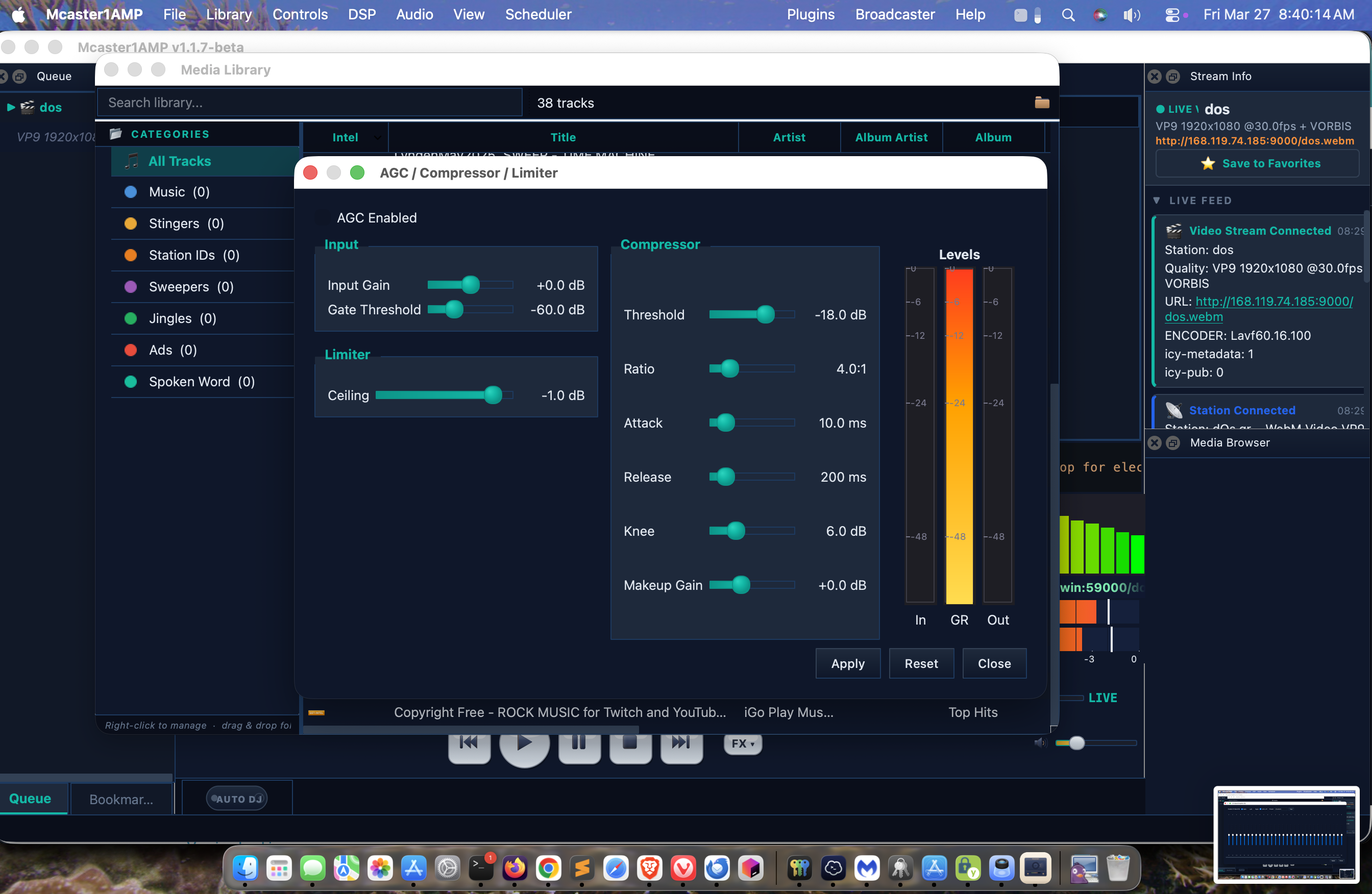
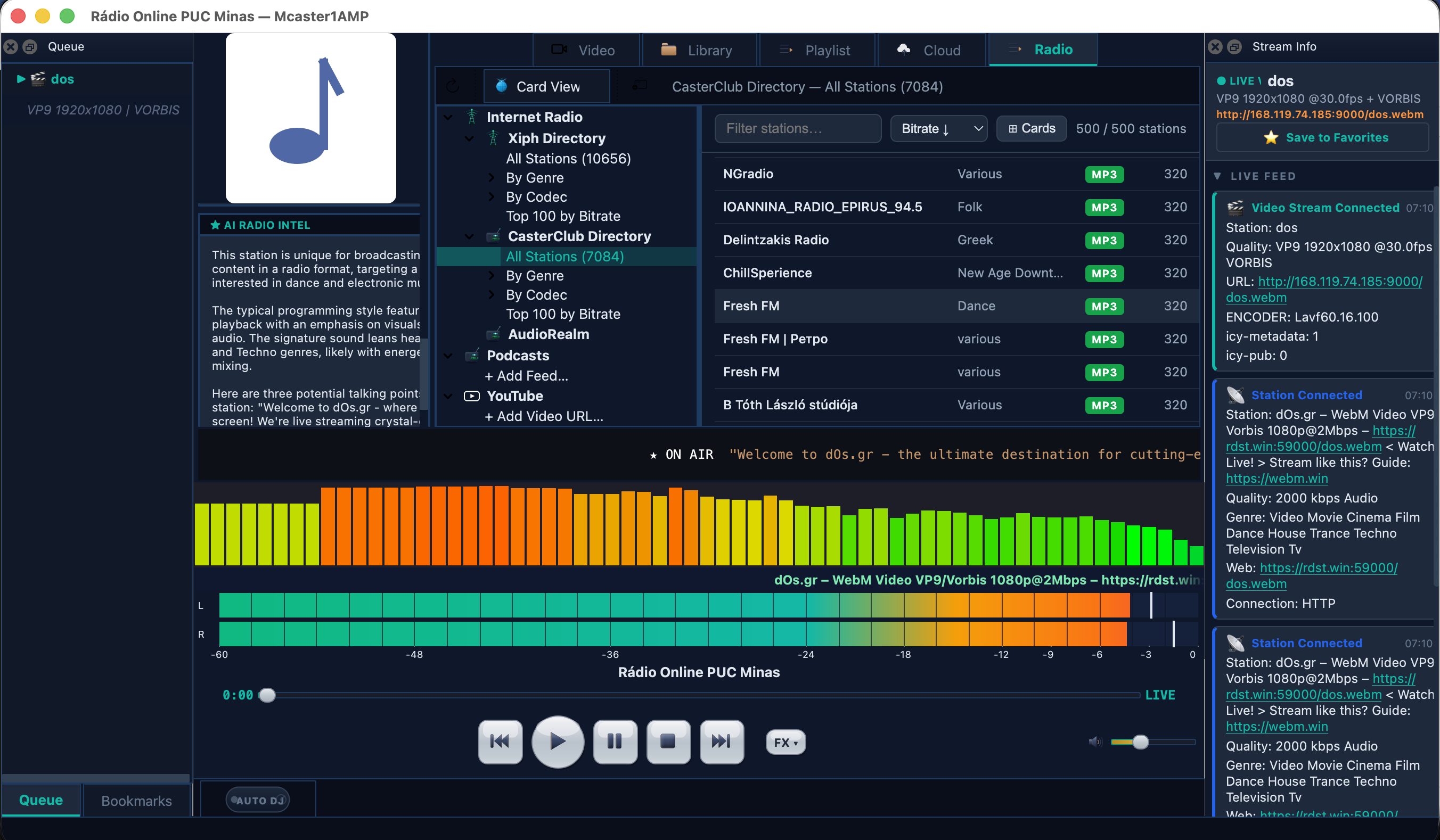
Broadcaster-grade tools, AI intelligence, and pro DSP — all in one player. Click any screenshot to view full size.
Playback Engine
Professional A/B deck architecture with lock-free audio pipeline, multi-codec support, and deep ICY 2.2 integration.
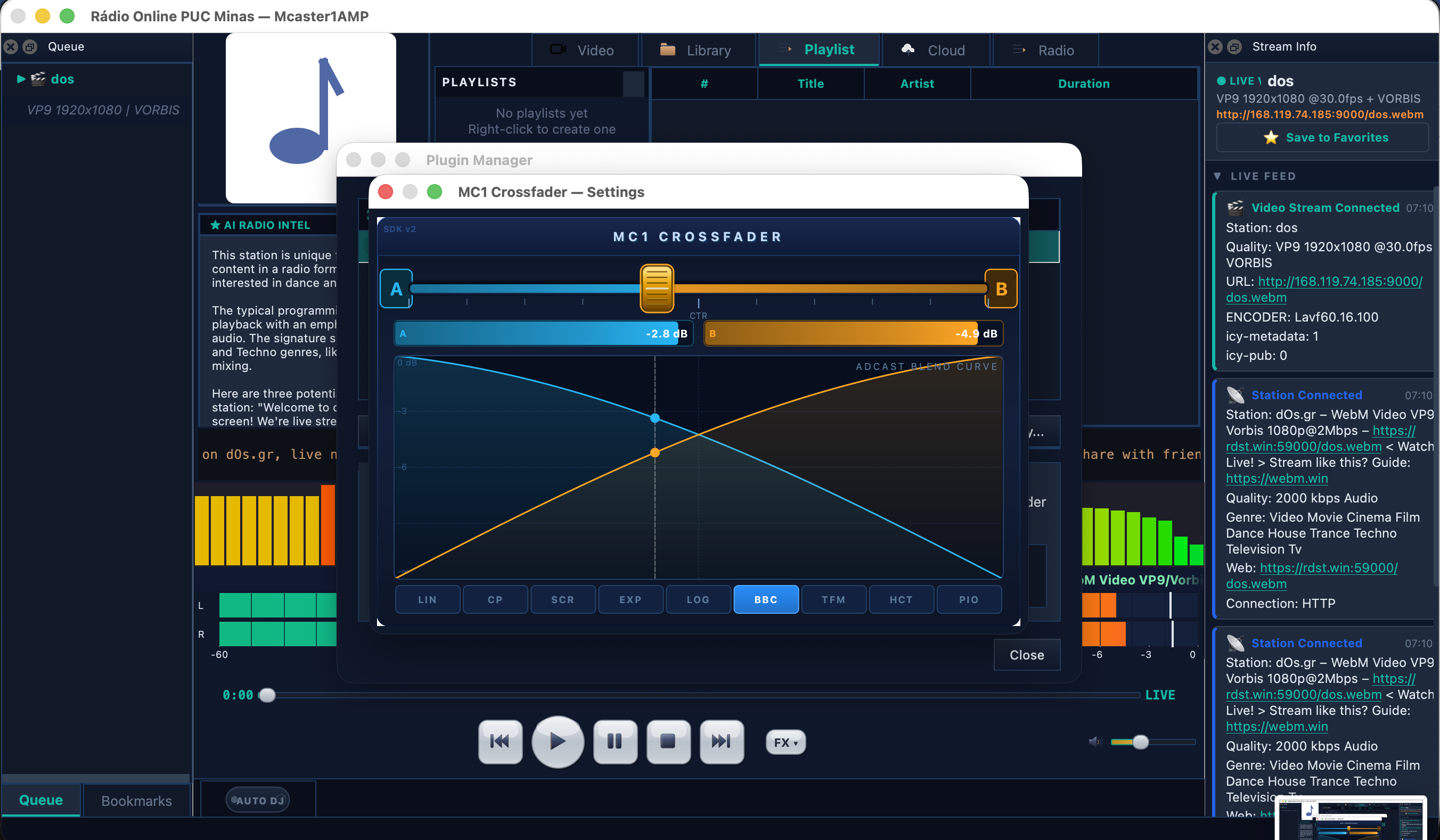
A/B Deck with Crossfader
Dual independent playback decks with real-time crossfading. Ships with the MC1 Crossfader plugin offering 9 blend curves for seamless transitions between streams.
Lock-Free SPSC Ring Buffer
Single-producer single-consumer ring buffer feeds the PortAudio callback with zero allocations in the audio path. Glitch-free playback even under heavy system load.
Multi-Codec Decoder
Native decoding for every internet radio format:
- MP3 (MPEG-1/2 Layer III)
- AAC / AAC+ / HE-AAC v1 & v2
- OGG Vorbis & Opus
- FLAC (lossless)
- WAV / PCM
ICY 2.2 with TLS
Full ICY metadata protocol support including TLS/HTTPS streams. Resolves m3u, pls, xspf, and m3u8 playlists automatically before connecting.
mc1amp:// Protocol
Registers the custom mc1amp:// URL scheme on your system. Web pages launch streams directly into the player — one click from the CasterClub directory to live audio.
Mcaster1StreamProxy Integration
Native integration with Mcaster1StreamProxy for HTTPS relay of HTTP-only streams. Eliminates mixed-content browser blocks and provides connection coalescing.
AI-Powered Intelligence
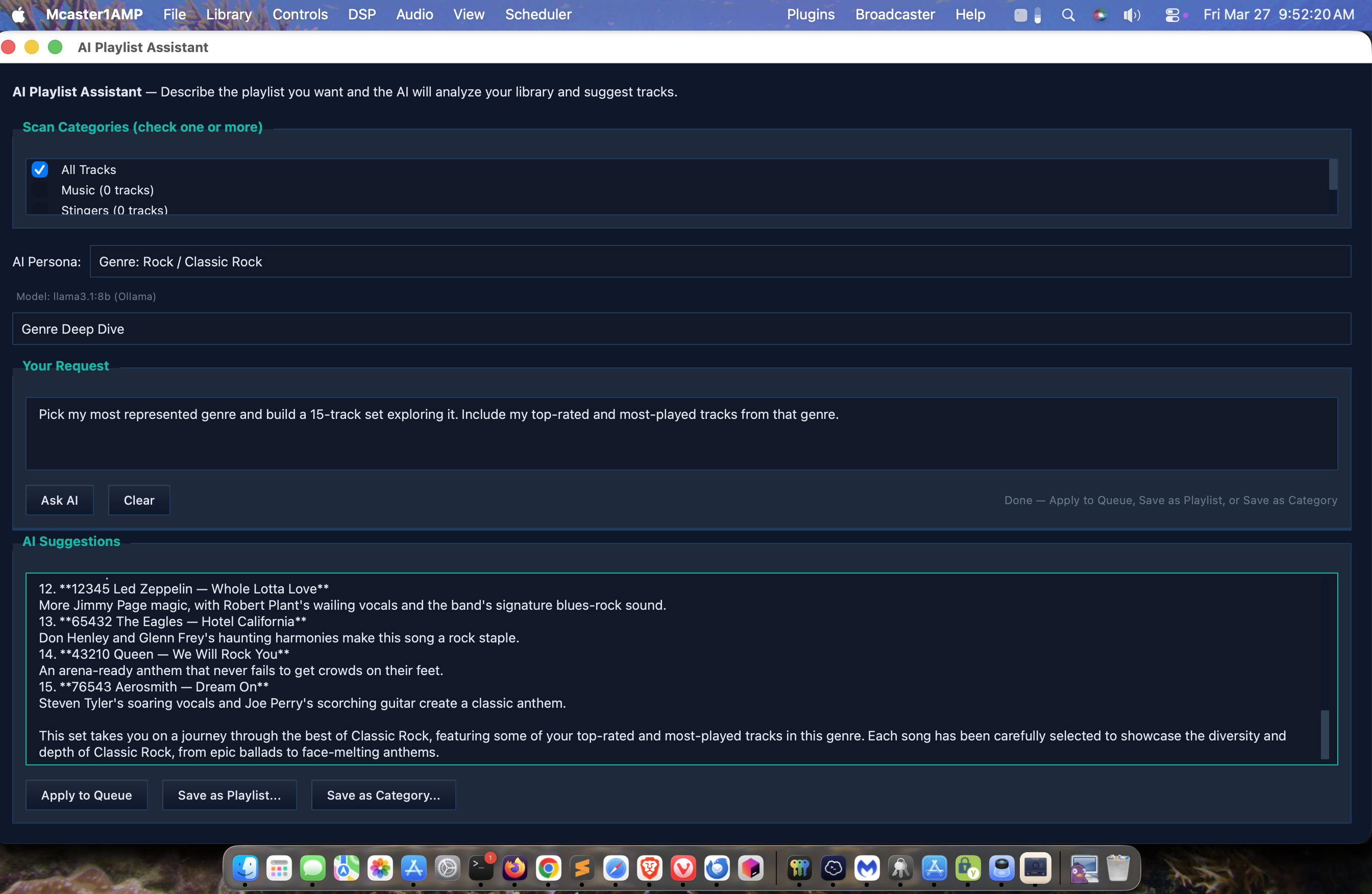
Two AI backends, 21 persona presets, real-time song analysis, and deep artist research — all built into the player.
2 AI Backends
Connect to the AI engine of your choice:
- Ollama — local/private LLM
- Anthropic Claude — cloud API
21 Persona Presets
5 DJ personas plus 16 genre-specific personalities. Each shapes how the AI describes tracks, artists, and station programming — from jazz connoisseur to metal headbanger.
AI Song Ticker
4-section scrolling ticker driven by AI analysis. Displays real-time context about the currently playing track — genre history, artist trivia, mood analysis, and musical connections.
Track Intel Panel
Deep-dive panel for the current track. AI generates context about the song, its place in the artist's catalog, production notes, and similar recommendations in real time.
Artist Intel Report Generator
7 dedicated research buttons generate comprehensive artist intelligence reports. 5 HTML report themes available. Reports can be saved to SQLite for offline reference.
Save-to-SQLite
All AI-generated reports, track analyses, and artist research persist in a local SQLite database. Build a personal music knowledge base that grows with your listening.
DSP Processing Chain
Studio-grade audio processing running inline in the PortAudio callback — zero allocations, zero latency additions.
10-Band Parametric EQ
Fully adjustable center frequency, bandwidth (Q), and gain per band. Precision tone shaping for any monitoring environment or personal preference.
31-Band Graphic EQ
ISO standard 1/3 octave graphic equalizer. Quick visual tone adjustment from 20 Hz to 20 kHz with preset management.
AGC with Look-Ahead
Automatic Gain Control with look-ahead buffer. Normalizes stream volume across stations so switching channels does not blast or whisper.
Sonic Enhancer
3-band Linkwitz-Riley crossover feeding independent low, mid, and high enhancers. Adds presence, warmth, and air without distortion.
Spectrum Analyzer
FFT-based real-time spectrum visualization running on a dedicated worker thread. Lock-free double buffer feeds the UI at 60 fps without impacting the audio path.
Zero-Alloc Audio Path
The entire DSP chain executes inline in the PortAudio callback. No heap allocations, no locks, no system calls in the hot path — guaranteed glitch-free processing.
Broadcast Tools
Everything a broadcaster needs built right into the player — cart wall, scheduling, clocks, and metadata export.
Cart Wall
Instant-fire audio cart system. Load jingles, stingers, drops, and sound effects for one-touch playback during live broadcasts.
Event Scheduler
Schedule stream switches, playlist changes, and automation events. Time-based triggers keep your broadcast running on schedule.
Broadcast Clock
Dual 24-hour and 12-hour clock display with ON-AIR / OFF-AIR indicator. Visual confirmation of broadcast state at a glance.
Metadata Export
Export now-playing metadata in 6 formats:
- TXT & LOG (plain text)
- M3U & PLS (playlists)
- XSPF & M3U8 (extended)
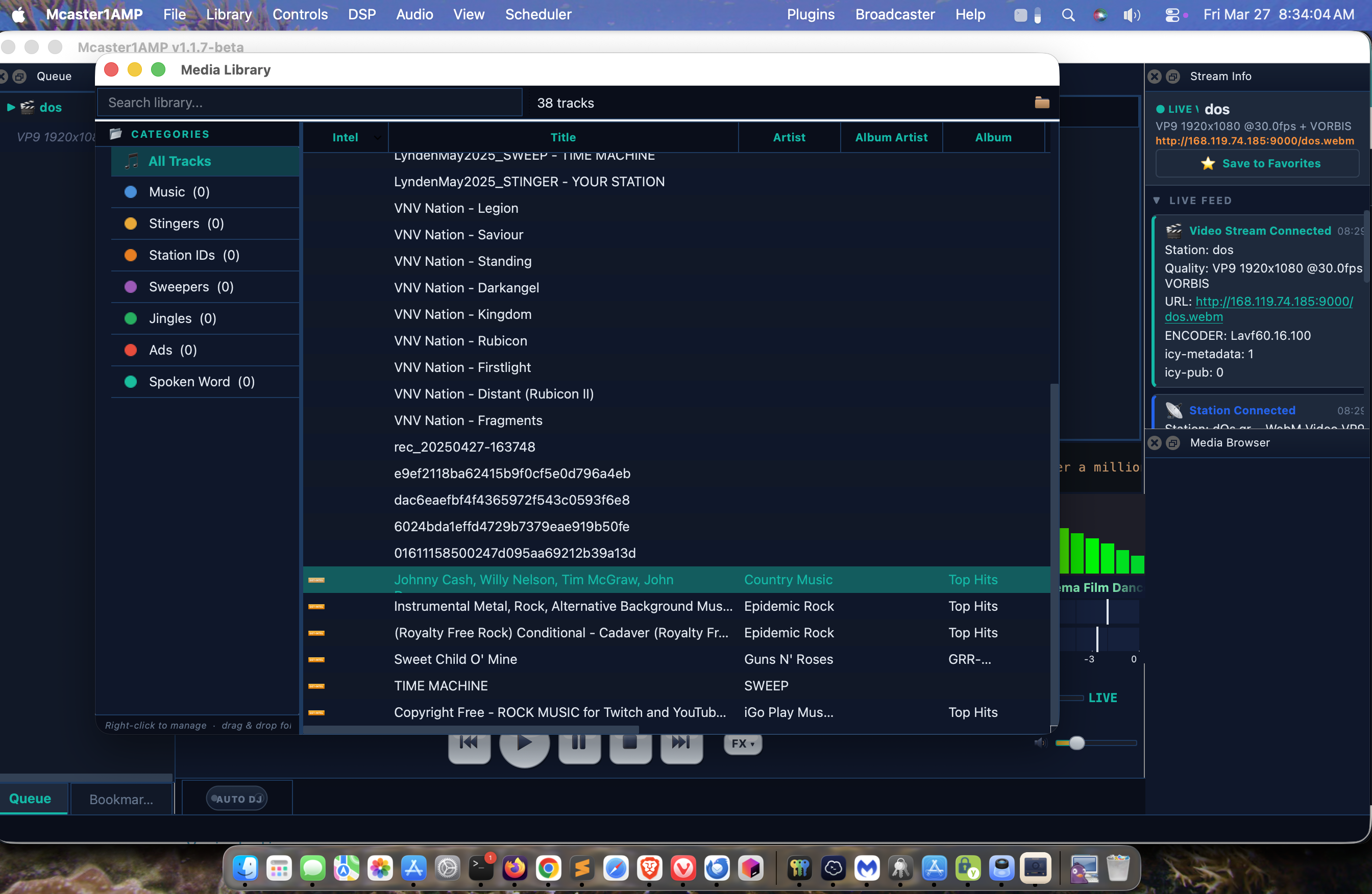
Media Library & AutoDJ
SQLite-powered library with full-text search, intelligent auto-rotation, and deep metadata integration.
SQLite FTS5 Search
Full-text search engine indexes every tag field. Find any track instantly across artist, title, album, genre, comment, and custom fields.
TagLib Scanner
Scans local media with TagLib for complete metadata extraction. Extracts album art, reads ID3v2/Vorbis comments/MP4 atoms, and populates the library database.
Color-Coded Categories
Assign color categories to tracks for visual organization. Column display persists across sessions with drag-to-reorder and resize.
AutoDJ Engine
Intelligent automatic playback with:
- Weighted rotation scheduling
- Artist separation rules
- BPM flow matching
- Genre rotation mixing
- Vote up/down listener feedback
YouTube Music Integration
Paste any YouTube Music URL and play instantly via yt-dlp. Download entire playlists to local MP3 with full ID3 tags and album art.
YouTube Music Playback
Paste any music.youtube.com URL and play audio instantly. yt-dlp extracts the best audio stream and pipes it to the playback engine — no browser required.
Playlist Cache
Download entire YouTube playlists to local MP3 files with embedded ID3 tags and album art. Cache never expires — your music stays local permanently.
Three YouTube Nav Items
Dedicated navigation entries for YouTube content:
- Add Video URL
- Add Playlist URL
- Add Artist/Podcaster Page
Cache & Play (AutoDJ)
Right-click any cached playlist to download all tracks. AutoDJ plays directly from the local cache — no network needed after initial download.
Bundled Tools
yt-dlp.exe and ffmpeg.exe are bundled with the installer. Zero external dependencies — everything works out of the box.
Themes
Two built-in themes with live switching from Preferences. Sharp, broadcast-grade design with 1px border-radius throughout.
CasterClub (Default)
Dark navy theme with teal accents, adapted from the yp.casterclub.com design system. 1px border-radius for a sharp, professional broadcast console look.
Enterprise Pro
Professional sand/tan/cream aesthetic designed for corporate and enterprise broadcast environments. Clean, warm tones with the same 1px border-radius precision.
Live Theme Switching
Theme selector in Preferences applies changes instantly with no restart required. Switch between CasterClub and Enterprise Pro with a single click.
Video Player & Plugin SDK
Built-in video playback and an extensible plugin architecture for custom processing.
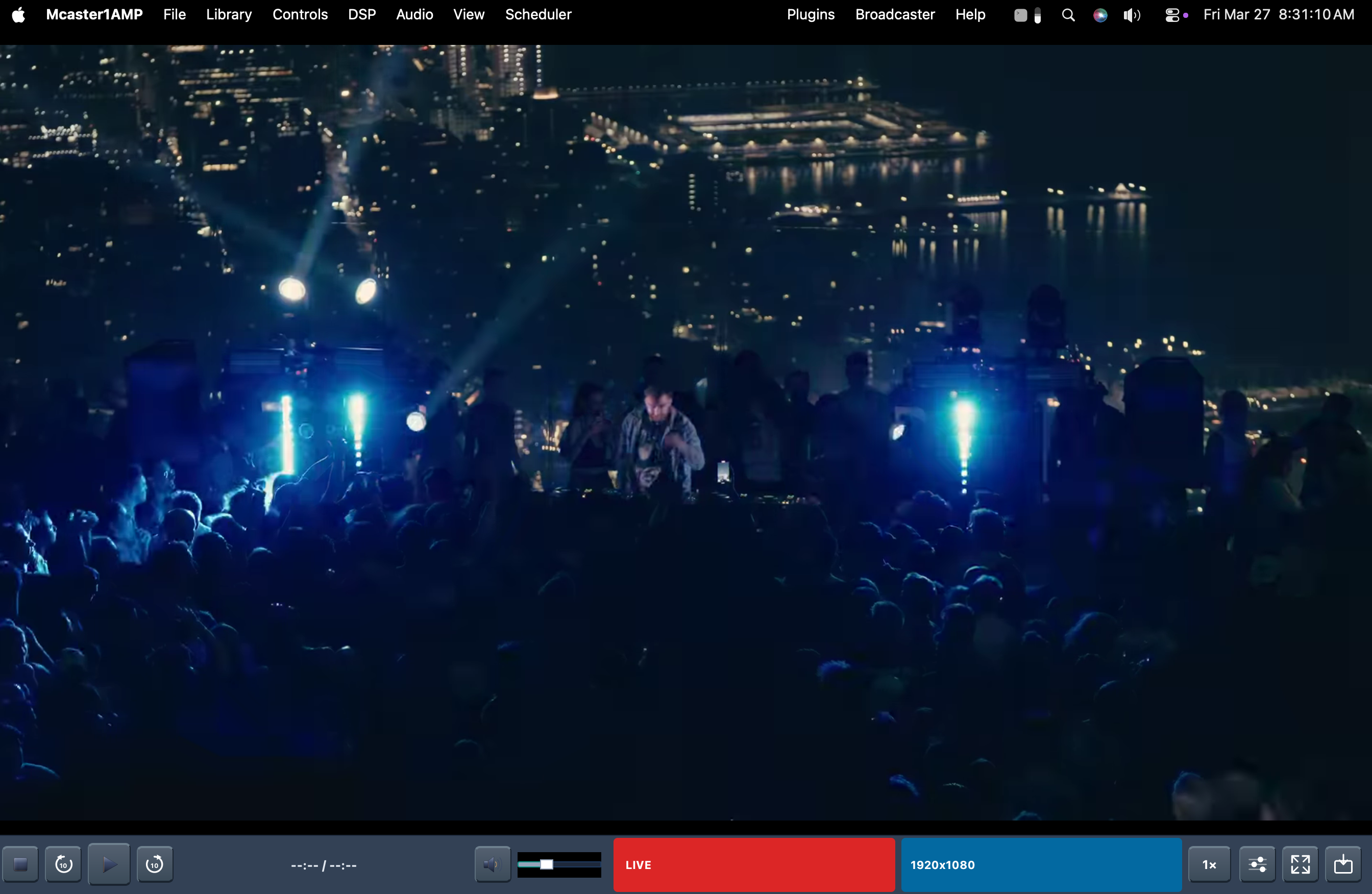
Video Player
Qt6 Multimedia-powered video engine with intelligent URL resolution:
- HTTP / HTTPS direct streams
- HLS (m3u8) adaptive
- YouTube via yt-dlp integration
- RTMP live feeds
Features TV Color dialog, fullscreen mode, and pop-out window for multi-monitor setups.
Plugin SDK v2
Stable C ABI for third-party audio processing plugins:
- Parameter API with type-safe accessors
- Custom Qt UI integration
- Hot-reload during playback
- Ships with MC1 Crossfader (9 blend curves)
Supported Formats
● Audio ● Video ● Playlist/Meta
Architecture
WorkerPool with 7 dedicated threads, lock-free data paths, and code-signed binaries.
Code-signed binaries — SSL.com IV code signing certificate with RFC 3161 timestamp. Windows SmartScreen trusts the installer without warnings. Fully portable: no registry writes, no AppData pollution — runs from any directory.
Mcaster1 Ecosystem
How Mcaster1AMP fits into the full broadcast pipeline from player to listener.
The mc1amp:// Protocol
Custom URL scheme that connects web directories to native desktop playback.
How It Works
When Mcaster1AMP is installed, it registers the mc1amp:// protocol handler with the operating system.
Clicking an mc1amp:// link on any web page (the CasterClub YP Directory, a station website, or an embedded player)
causes the OS to launch Mcaster1AMP and pass the stream URL as an argument. The player connects, resolves playlists if needed,
and begins playback instantly — no browser audio, no mixed-content warnings, no codec limitations.
mc1amp://play?url=http://radio.example.org/stream.mp3&name=My+Station
mc1amp://play?proxy_id=1294 // uses CasterClub StreamProxy
The protocol also supports a proxy_id parameter which routes through the Mcaster1StreamProxy HTTPS relay,
converting any HTTP stream to a secure TLS connection. Web pages detect protocol availability using an iframe probe with
a 2.5-second timeout — if the handler is not installed, a download modal appears.
Changelog
v1.1.11-beta (2026-04-02) Current — macOS
- Cast to TV (AirPlay) — Send video fullscreen to any AirPlay-compatible smart TV or Apple TV via macOS Screen Mirroring
- Bluetooth audio selector — New BT button in transport bar discovers paired speakers, soundbars, and headphones with one-click connect + audio routing
- AirPlay Screen Mirroring integration — Opens macOS Control Center Screen Mirroring directly from Cast to TV menu
- Bonjour device discovery — Automatic discovery of AirPlay devices on local network via _airplay._tcp
- ESC key recall from TV — Press ESC anywhere to dock video back from external display (macOS NSEvent monitor)
- Auto-dock on TV disconnect — Video returns to main window automatically if external display is removed
- Bookmarks YAML persistence — Stream favorites saved to bookmarks.yml, survive app updates and reinstalls
- Independent volume persistence — Video and audio deck volumes save separately, restored on launch
- Audio/video mutual exclusion fix — Starting video stops radio; restarting video from controls properly stops audio stream
- Qt 6.11.0 framework upgrade — Clean upgrade from 6.10.2, zero API breakage
- 3D Cast to TV icon — New metallic TV icon with teal signal waves in video player controls
- Security audit: 21 findings resolved — Thread-safe ESC callback, QPointer guards on all async lambdas, YAML injection prevention, IPv4/IPv6 safe Bonjour, A2DP UUID verification
- TCC privacy compliance — NSBluetoothAlwaysUsageDescription + NSLocalNetworkUsageDescription + NSBonjourServices in Info.plist
v1.1.8-beta (2026-03-31)
- macOS native release — Apple Silicon + Intel, Apple Developer ID signed + notarized
- Native VP9 video decoder — avcodec pipeline decodes VP8, VP9, H.264, H.265, AV1, Theora (no external ffmpeg process)
- CUE/AUX secondary audio output — mirror audio to loopback/virtual cable (Mcaster1AudioPipe, BlackHole) for capture by DSP Encoder
- CasterClub YP Directory — 8,300+ stations from yp.casterclub.com/yp.xml with HTML5 card view
- AudioRealm directory — embedded web browser for audiorealm.net station listings
- mc1amp:// protocol handler — macOS QEvent::FileOpen + CLI, dual URL formats (/webplayer.php + /stream)
- Stream Info Dialog — unified metadata viewer for audio + video streams (friendly + technical tabs)
- Queue cycling display — station name ↔ current song (10s toggle) for both audio + video streams
- Spectrum analyzer on video streams — decoded audio PCM fed to FFT visualizer
- DSP chain on video streams — EQ/AGC/Sonic Enhancer applies to native decoder audio
- Security audit: 17/17 resolved — SSL cert verification, JSON injection, metadata size caps, port validation, path traversal
- 8 threading crash fixes — QPointer guards, SSL race condition, FileSource ordering, MIME sniffing bypass
- Stream Favorites + Save to Favorites from Stream Info panel + right-click queue
- Auto-refresh radio directories every 15 minutes
- macOS .app bundle with all Qt frameworks, codecs, ffmpeg, yt-dlp bundled
- PKG installer (~/Mcaster1/Mcaster1AMP/) + DMG drag-to-install
v1.1.7-beta (2026-03-29) Current — Windows
- CasterClub dark theme (default) — adapted from yp.casterclub.com
- Enterprise Pro theme — professional broadcast console aesthetic
- YouTube Music integration — paste music.youtube.com URLs, auto-play via yt-dlp
- YouTube playlist cache — download entire playlists to local MP3 with embedded ID3 tags + album art
- Cache & Play (AutoDJ) — right-click cached playlist to play from local files
- yt-dlp.exe + ffmpeg.exe bundled (zero external dependencies)
- AI backends: Ollama (local) + Anthropic Claude
- SSL.com code-signed Windows installer (EV certificate)
- QA bug fixes: queue crash, DSP FX freeze, cart wall freeze, AutoDJ seek-skip
- Shutdown stability improvements
Previous releases
v1.1.4-beta (2026-03-17)
WebM/VP9 video streaming, ffmpeg.exe bundled, 5s connect timeout, Icecast status-json.xsl probe, CLI video flags, About dialog rewrite, SSL.com IV code signing certificate.
v1.1.3-beta (2026-03-16)
mc1amp:// protocol handler, AAC/FLAC stream support, SSL.com IV code signing, NSIS installer, Plugin SDK v2, MC1 Crossfader (9 blend curves), Cart Wall, Event Scheduler, Broadcast Clock.
Roadmap
| Version | Feature | Status |
|---|---|---|
| 1.0 | Core playback engine, A/B decks, multi-codec, ICY 2.2, DSP chain | Done |
| 1.1 | AI integration (2 backends, 21 personas, Song Ticker, Artist Intel) | Done |
| 1.1.3 | Plugin SDK v2, MC1 Crossfader, Cart Wall, Event Scheduler, Broadcast Clock, mc1amp:// protocol | Done |
| 1.1.4 | WebM/VP9 video streaming, 5s connect timeout, Icecast stats probe, ffmpeg bundling, CLI video flags | Done |
| 1.2.0 | CasterClub theme, YouTube Music playlists, QA bug fixes, shutdown stability | Current |
| 1.2 | Media Library FTS5, AutoDJ engine, album art extraction, TagLib scanner | In Progress |
| 1.3 | Video player (Qt6, HLS, YouTube/yt-dlp, RTMP), TV Color dialog, pop-out | Planned |
| 1.4 | CasterClub account sync, cloud presets, remote control API | Planned |
| 2.0 | Linux builds, native Wayland, ARM64 (macOS complete in v1.2.0) | Planned |
System Requirements
QA Credits
DJ Masa (Japan-A-Radio) — Beta QA volunteer: discovered queue crash, DSP FX freeze, cart wall freeze, AutoDJ seek-skip bug.